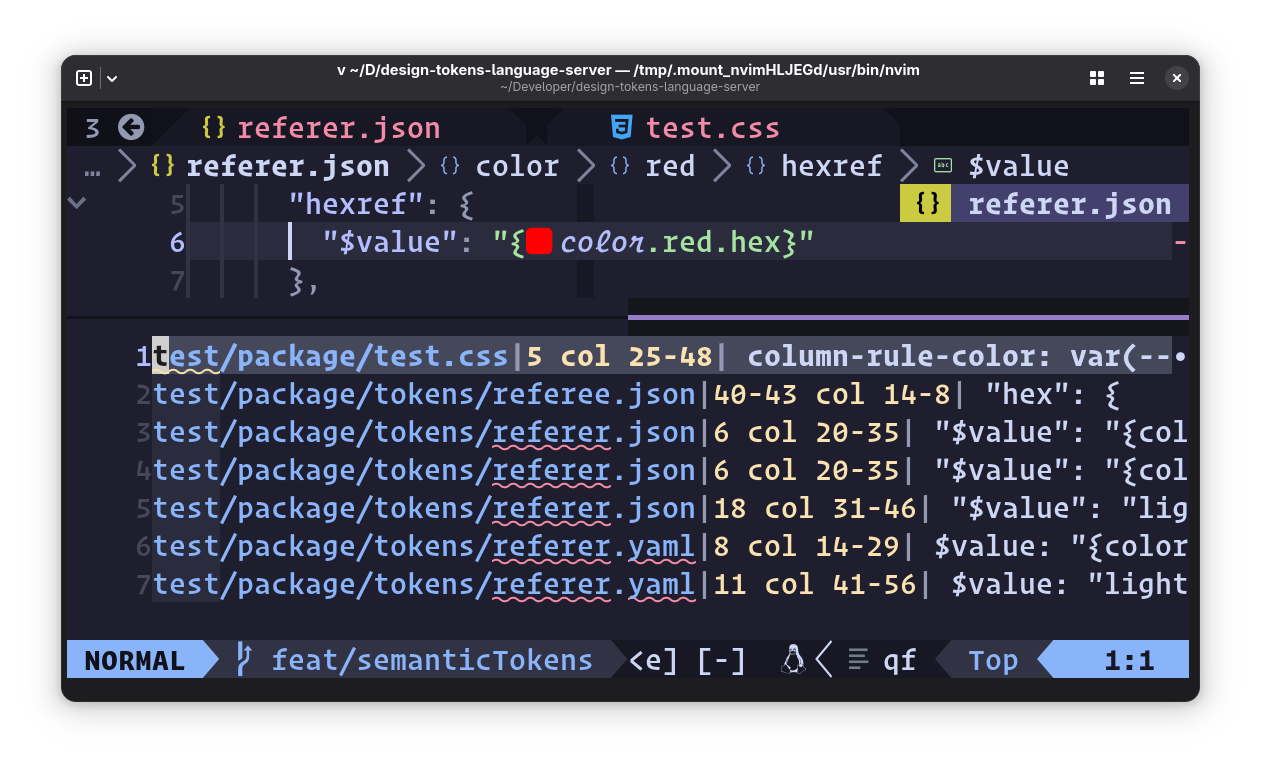
Language Server Features
The language server extracts CSS from <style> blocks and style=""
attributes in HTML, as well as HTML embedded in languages like PHP or in
tagged template literals in JavaScript and TypeScript. All LSP features
below work across these contexts.
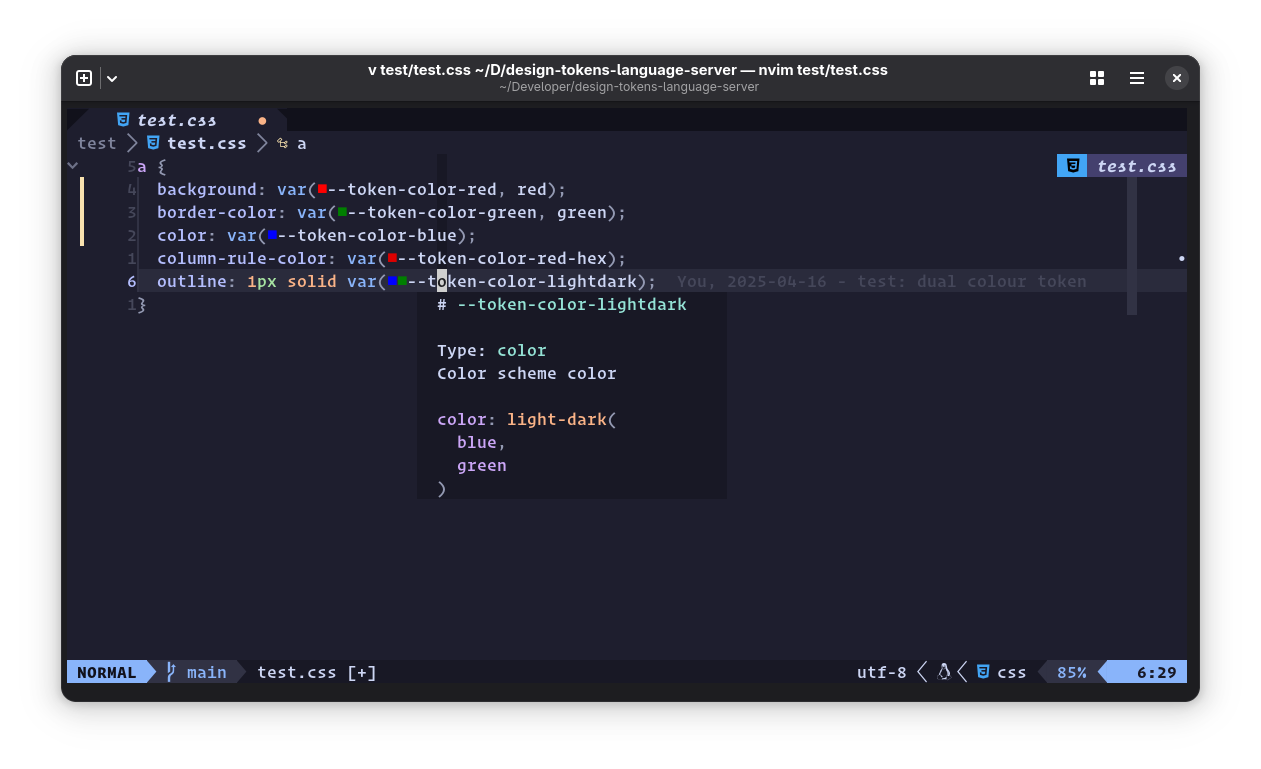
Hover Docs
Display markdown-formatted token descriptions and value when hovering over token names.
Snippets
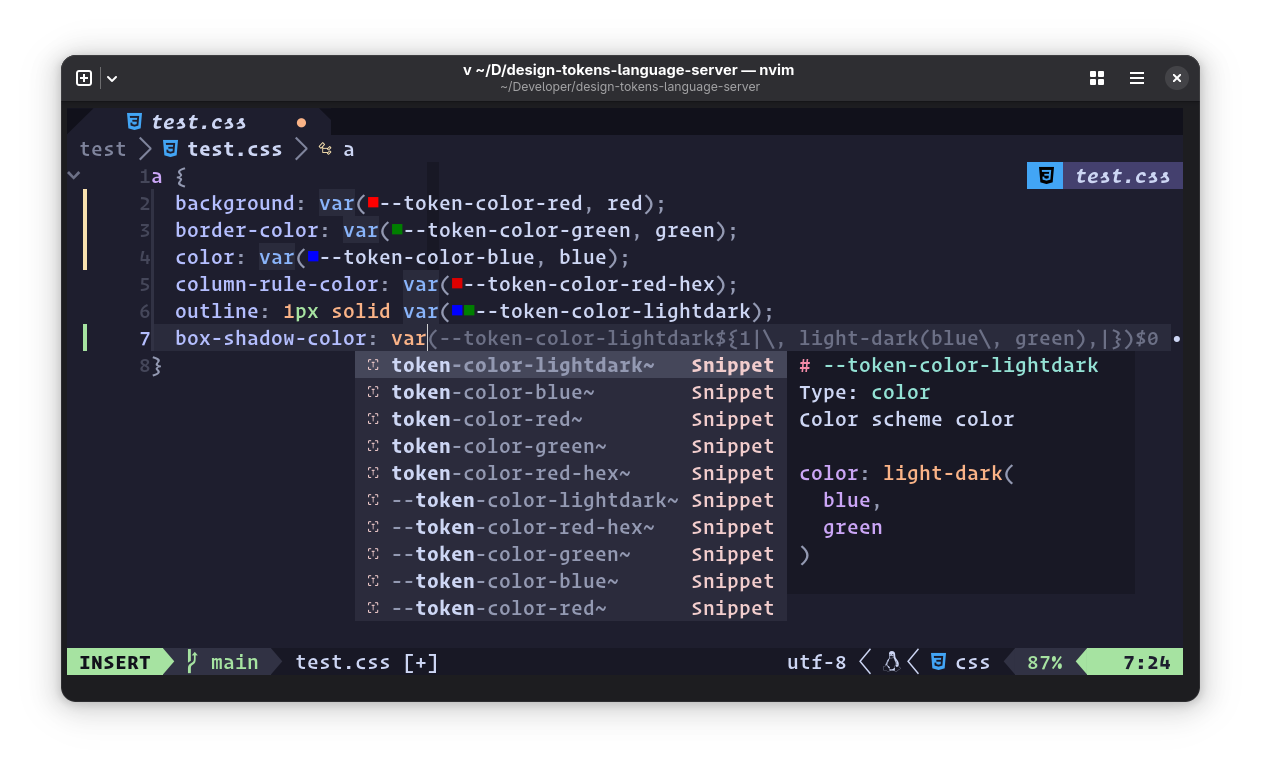
Auto complete for design tokens – get code snippets for token values with optional fallbacks.
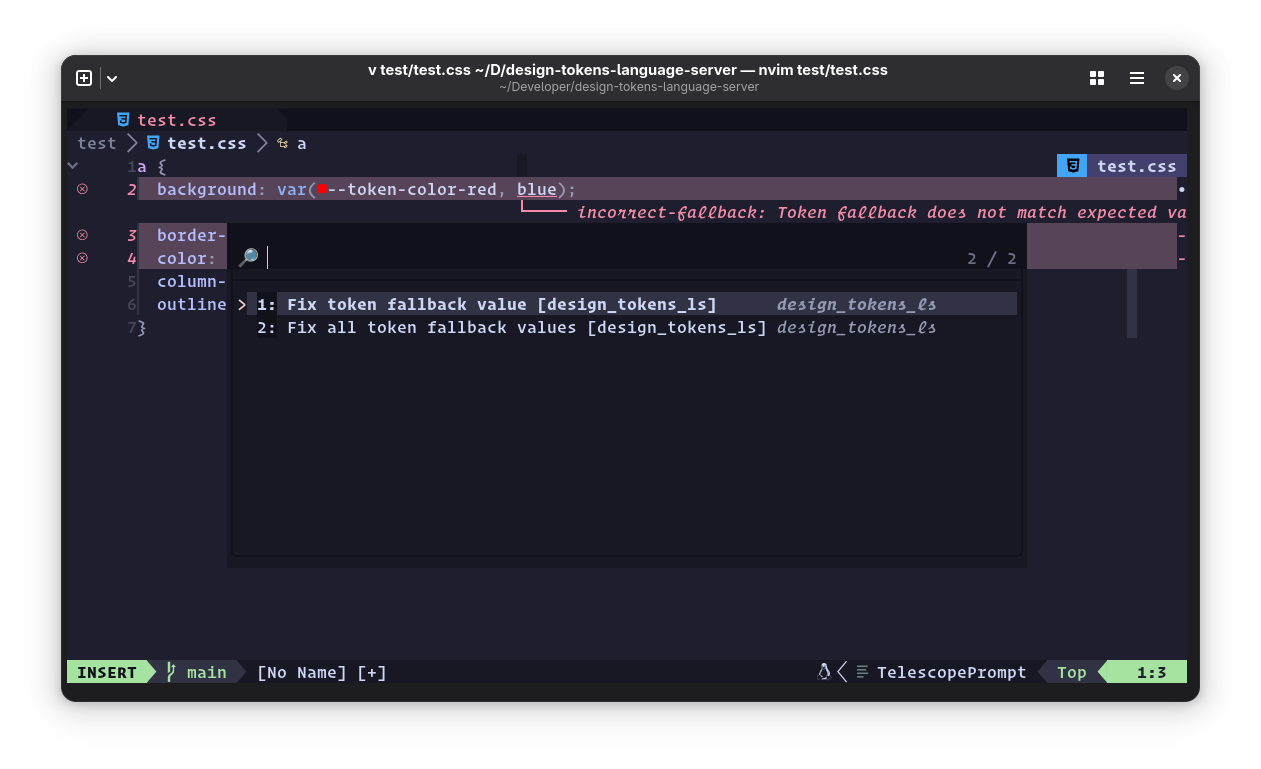
Diagnostics
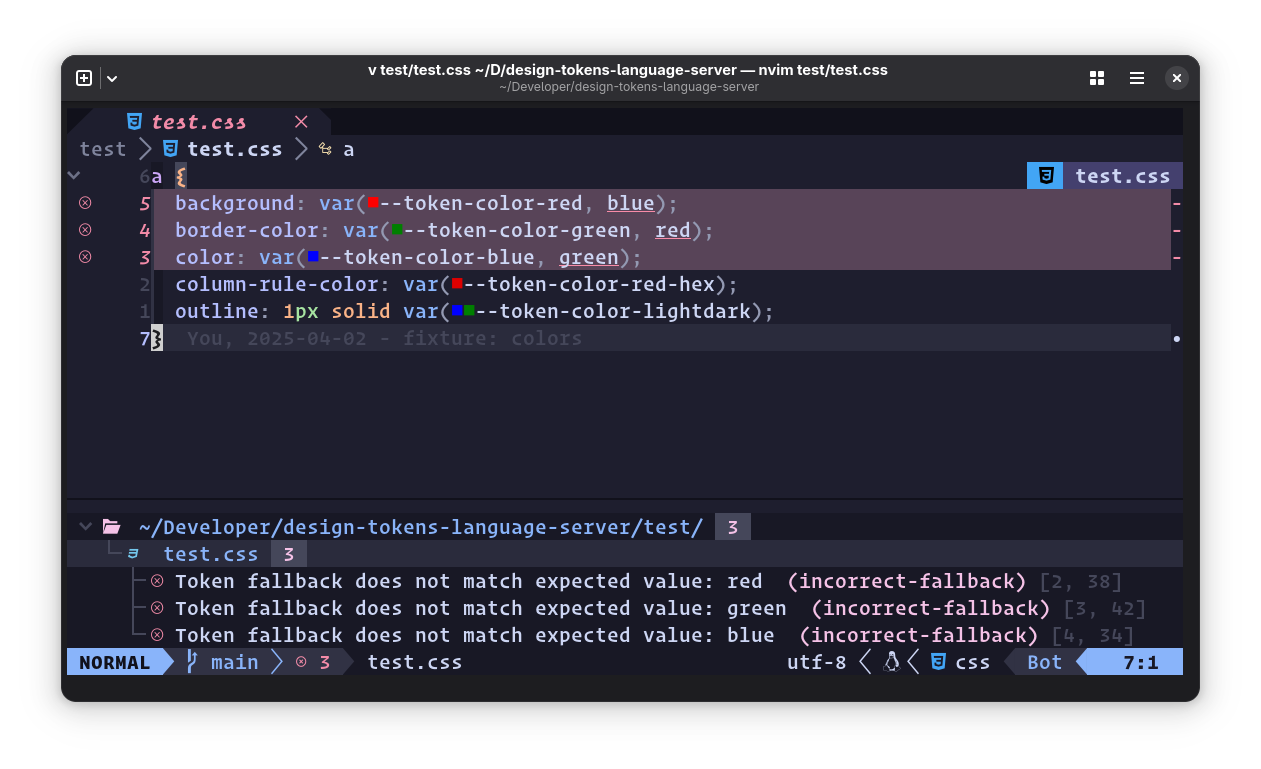
Warns when your stylesheet contains a var() call for a design token,
but the fallback value doesn’t match the token’s pre-defined $value.
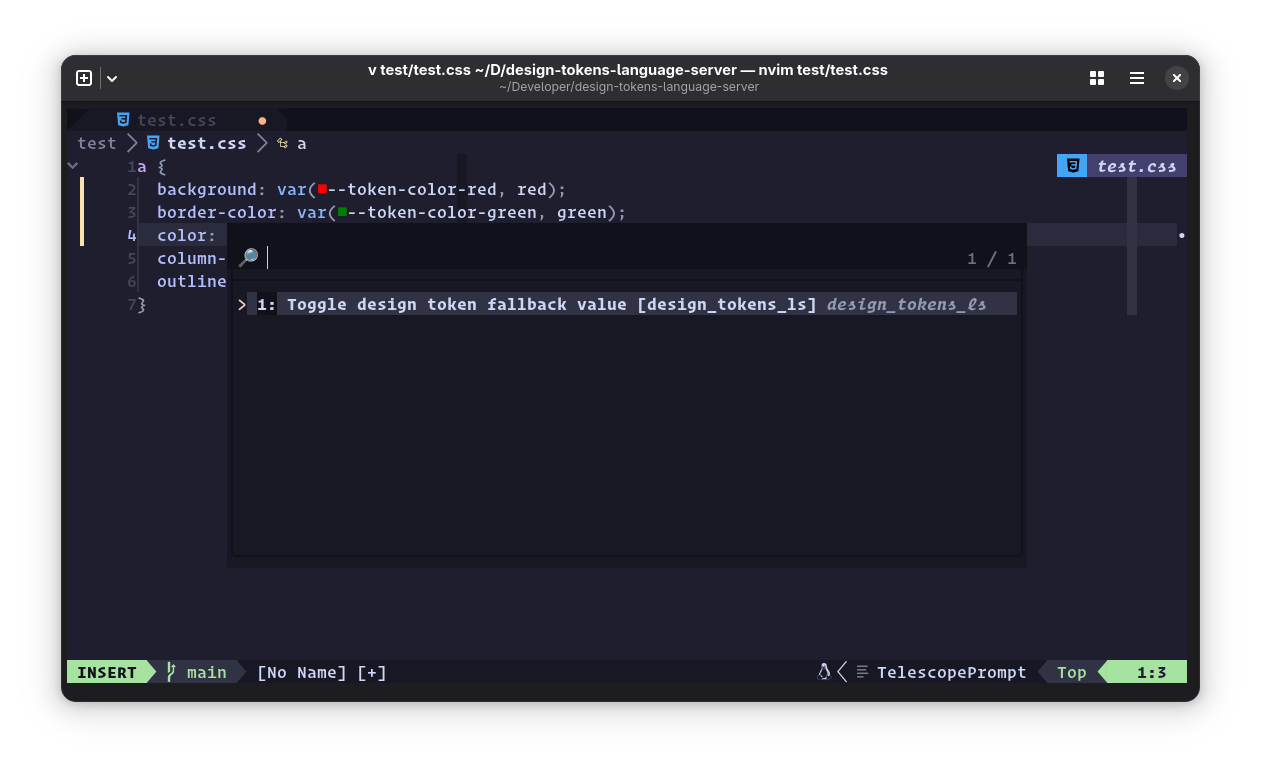
Code Actions
Toggle the presence of a token var() call’s fallback value. Offers to fix
wrong token definitions in diagnostics.
Document Color
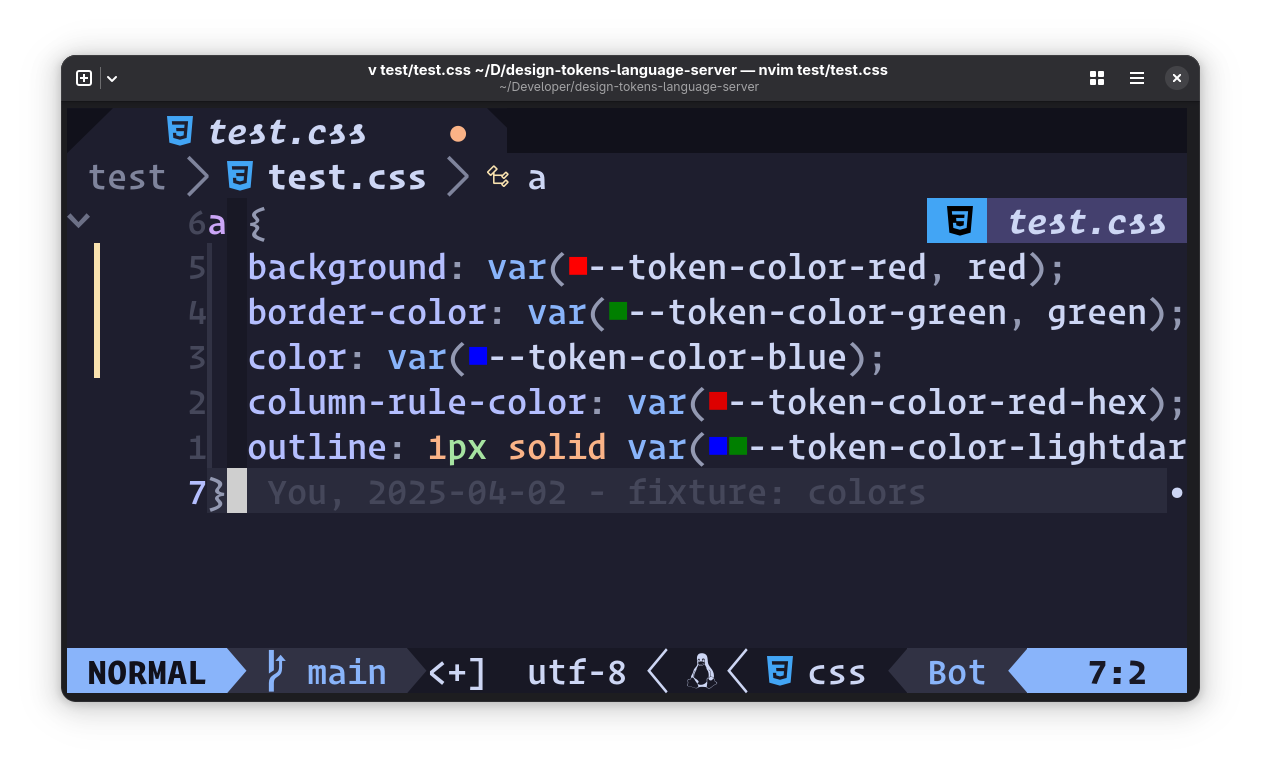
Display token color values in your source, e.g. as swatches.
Semantic Tokens
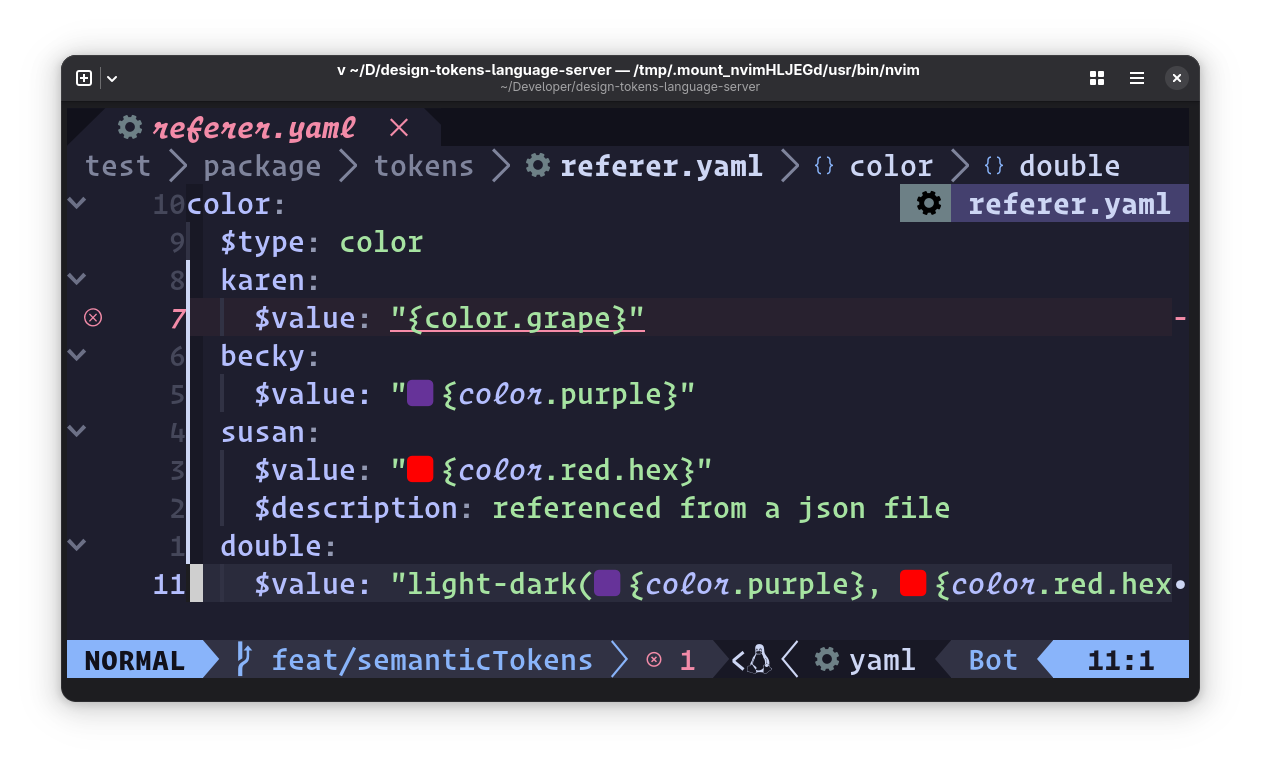
Highlight token references inside token definition files.
Go to Definition
Jump to the position in the tokens file where the token is defined. Can also jump from a token reference in a JSON file to the token’s definition.
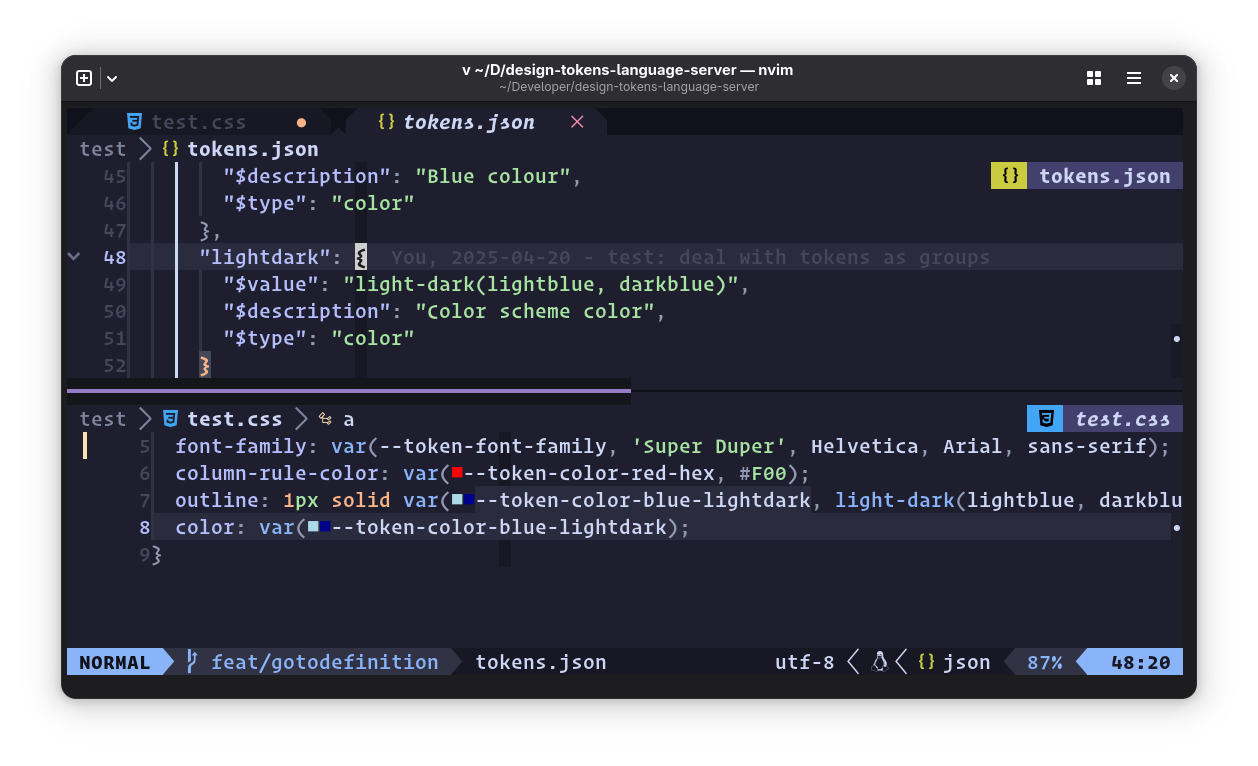
Go to definition in a split window using Neovim’s
<C-w C-]> binding
,
which defers to LSP methods when they’re available.
References
Locate all references to a token in open files, whether in CSS or in the token definition JSON or YAML files.